
Features / Everyday school life
Everything for your school bells – on one screen.
SchoolBell is designed so that everyday users can make everyday changes themselves. You do not need to understand the wiring of amplifiers, loudspeaker zones or networks to change a bell time.
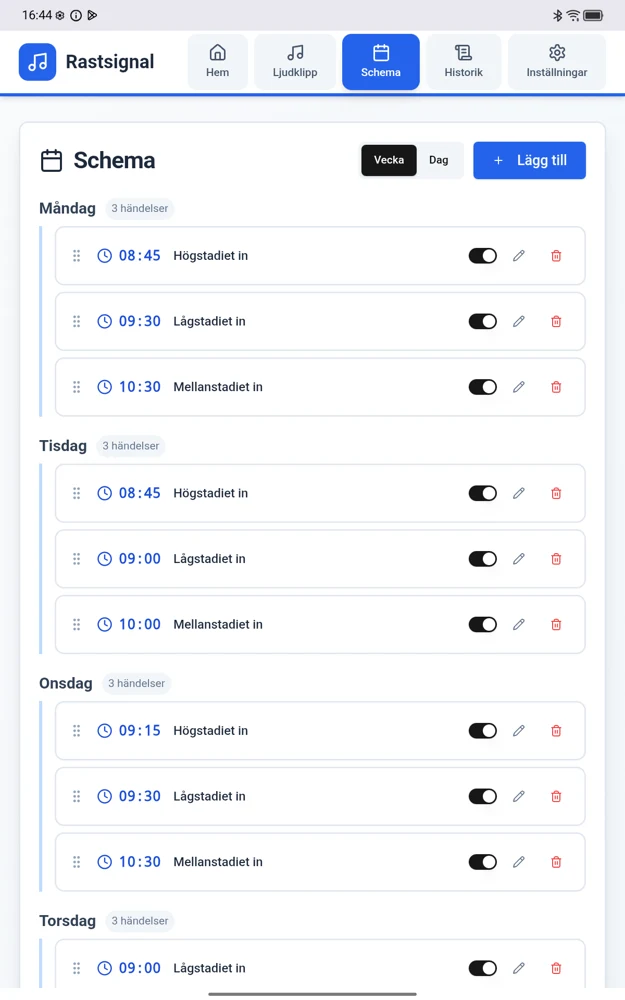
01 / Schedules & bell times
Bell times that follow your school day.
Create and adjust bells for different days and times. A clear schedule shows what will play and when. Staff make changes directly in SchoolBell, where they use the system.
02 / Audio clips & recording
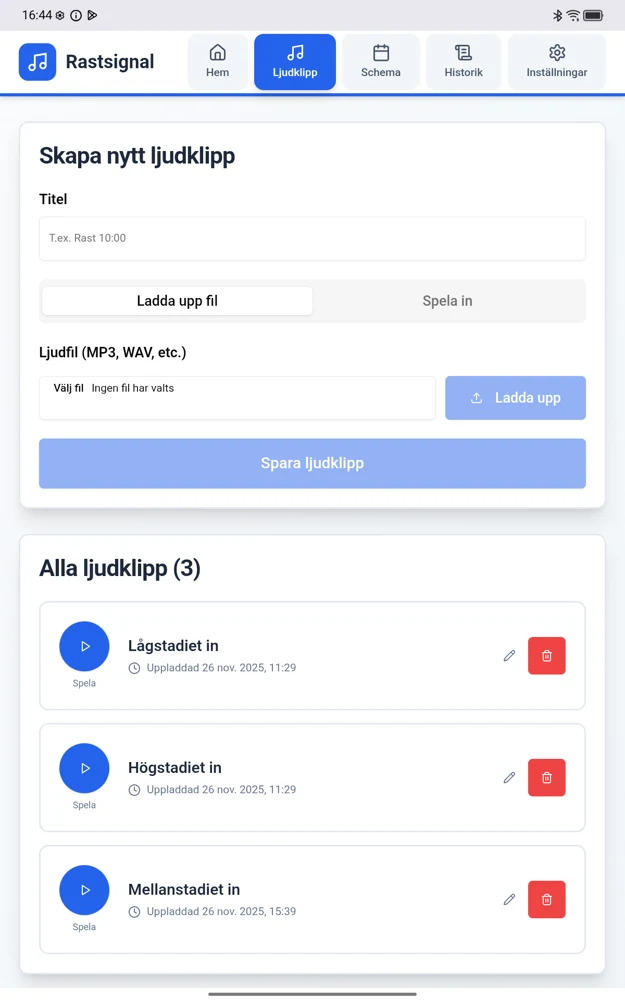
Make the bell sound your own.
Use familiar signals or create your own audio clips. Record short announcements in your school’s own words. Save and reuse the messages you need regularly.
03 / Holiday mode
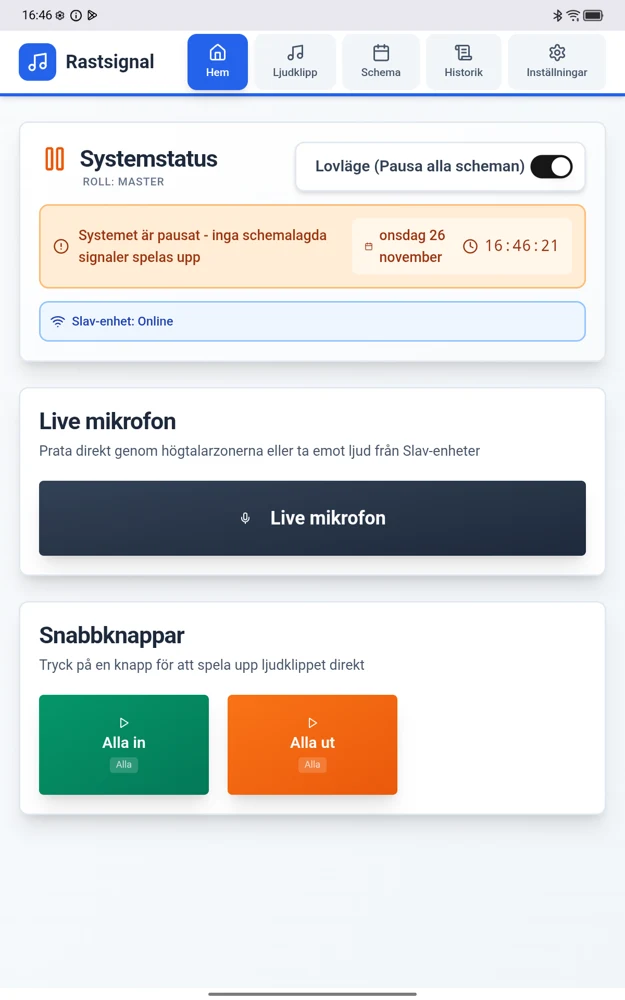
When school takes a break, so do the bells.
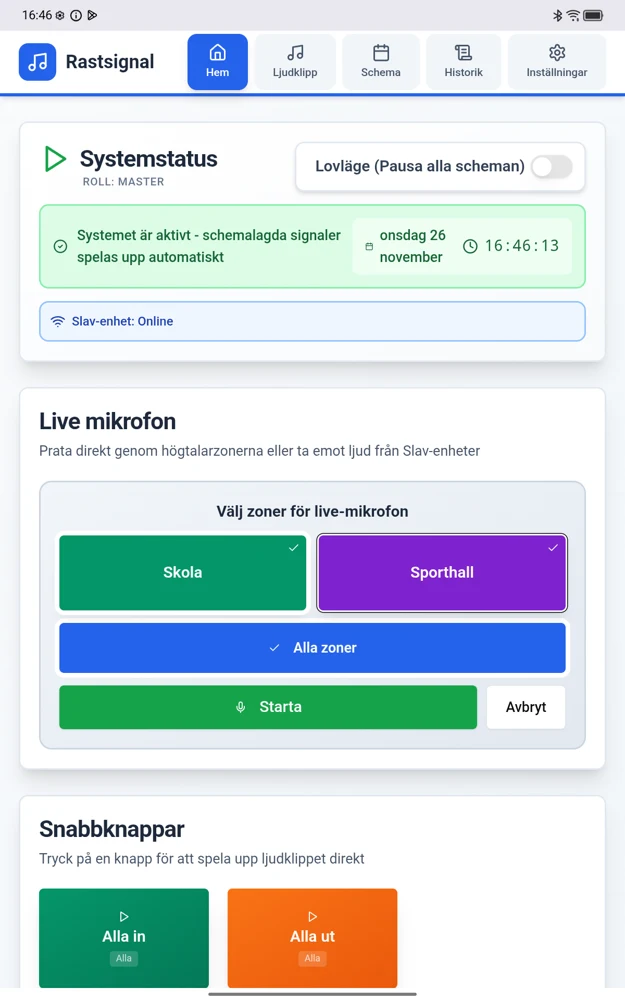
Activate holiday mode to pause regular scheduled bells. The status indicator clearly shows whether scheduled playback is active or paused.
Staff activate holiday mode. This does not imply an automatic school holiday calendar.
04 / Manual ringing
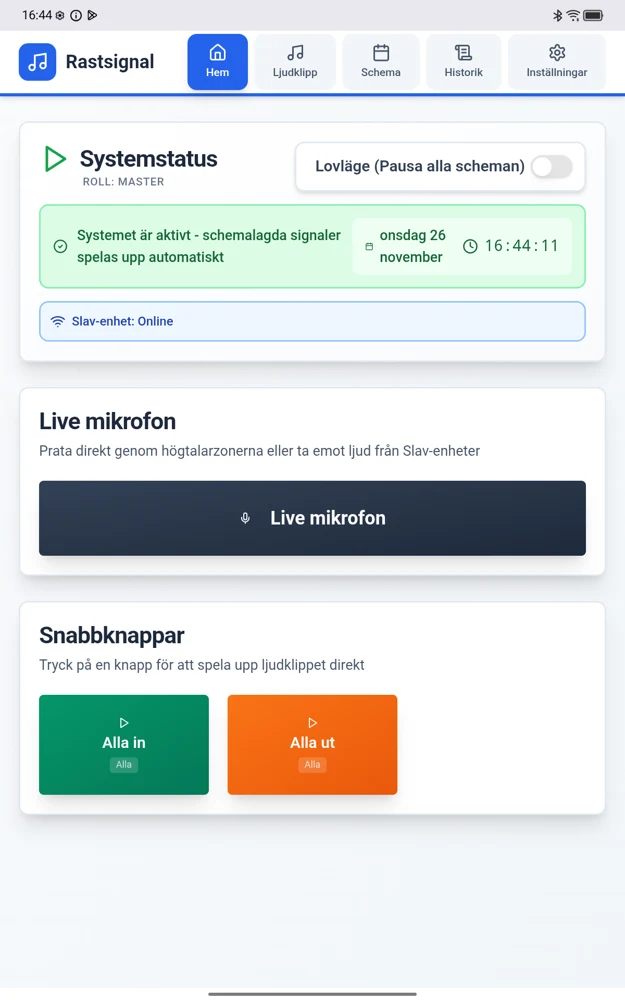
For the moments that cannot wait.
Play frequently used sounds using clear quick controls. Handle a manual start-of-break or end-of-break signal when the day differs from the timetable.
05 / Announcements & areas
Announcements where they are needed.
SchoolBell can be combined with manual announcements and audio zones to suit the installation. SchoolBell Sync can add a local unit where staff need control, such as in a sports hall.
06 / History & overview
Keep track of what has happened.
System status and playback history bring information together in the same place you manage your schedule.
The image shows the overview in an earlier version. An updated history screenshot will be added when available.
Purchasing & installation in Sweden
Looking to purchase SchoolBell in Sweden?
Looking to purchase SchoolBell in Sweden? Contact our Swedish reseller AVAB for pricing, quotations and installation.
Request a quote via AVAB (Sweden)Questions about SchoolBell?
For product questions, technology and future integrations, press, partnerships and enquiries from other countries.
Contact SchoolBell